

Overview
Lexful is an integration for Password Rotation, similar ITGlue and Hudu. Connecting it to MSP Process allows Password Rotation write each newly rotated password straight into the matching Lexful record, so your documentation always holds the current credentials. Setup is quick: generate an API key in Lexful, add it to MSP Process as a Security Integration, and map your clients to their Lexful organizations. Lexful only comes into play once Password Rotation is setup, as it is a place where rotated passwords get stored.Prerequisites
- Password Rotation set up for the customers you’ll store credentials for — the DC agent (on-prem) or the M365 Identity Management app (cloud-only) deployed. Lexful is only relevant once rotation is running.
- A Lexful account with access to the Platform → APIs Keys area to generate an API key.
- Access to Settings → Integrations → Security Integrations in MSP Process.
- The Lexful organization that each MSP Process client maps to.
How to Setup
Step 1 — Generate an API key in Lexful.
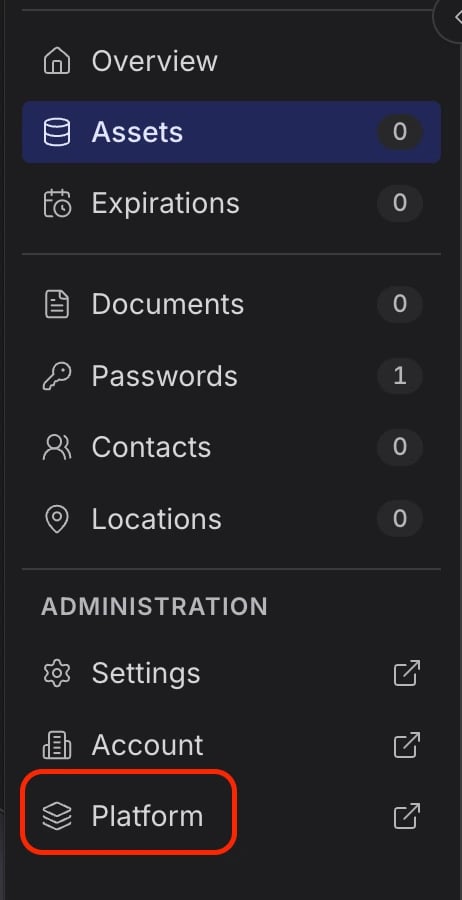
- Sign in as an Admin in Lexful and navigate to Platform → APIs Keys.
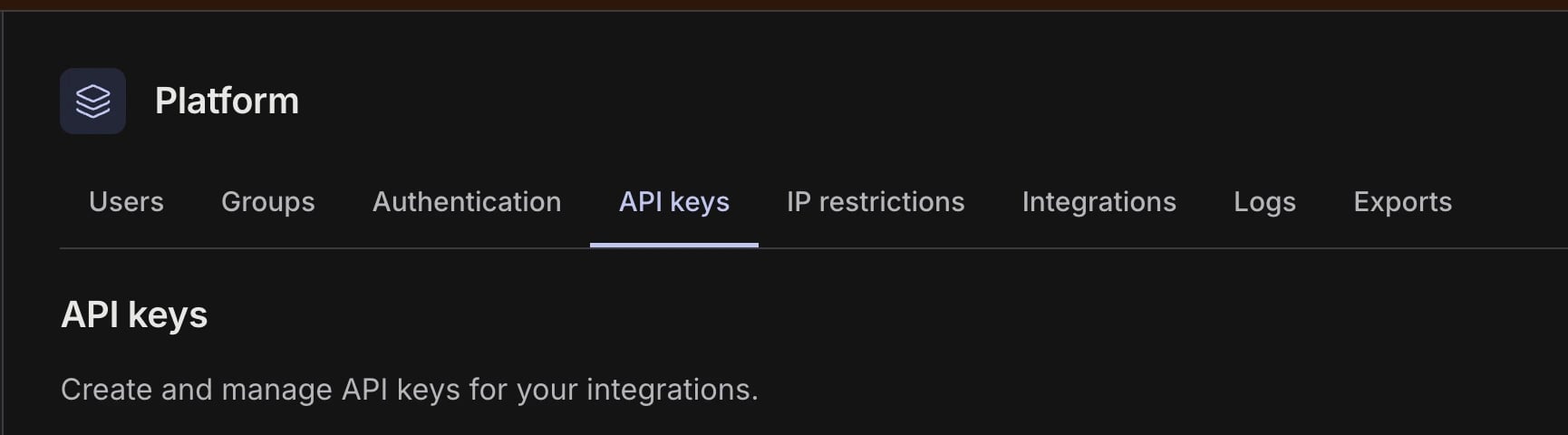
- Click + New Key to create an API key for MSP Process.
- Note: The Account ID that will be used for the MSP Process security integration will be located on this page.

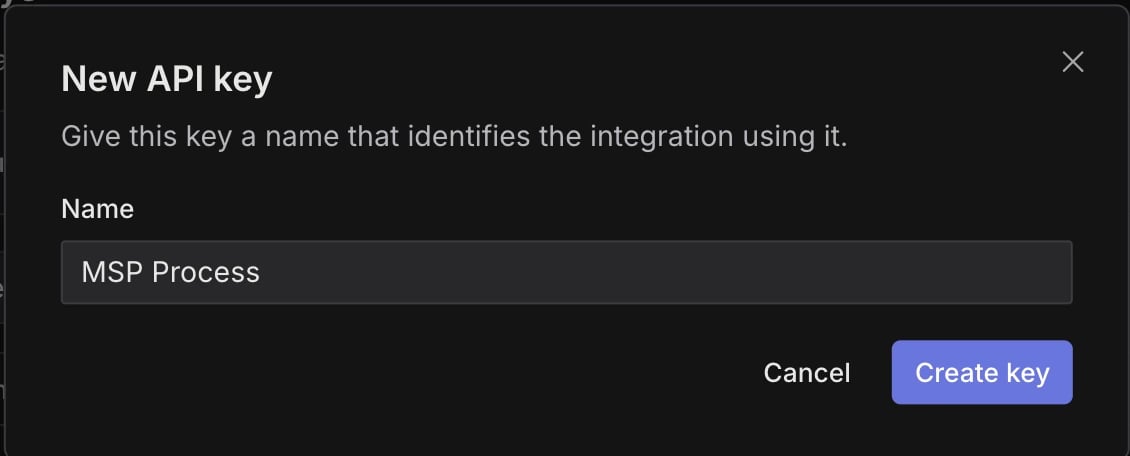
- Enter a name and click Create Key.
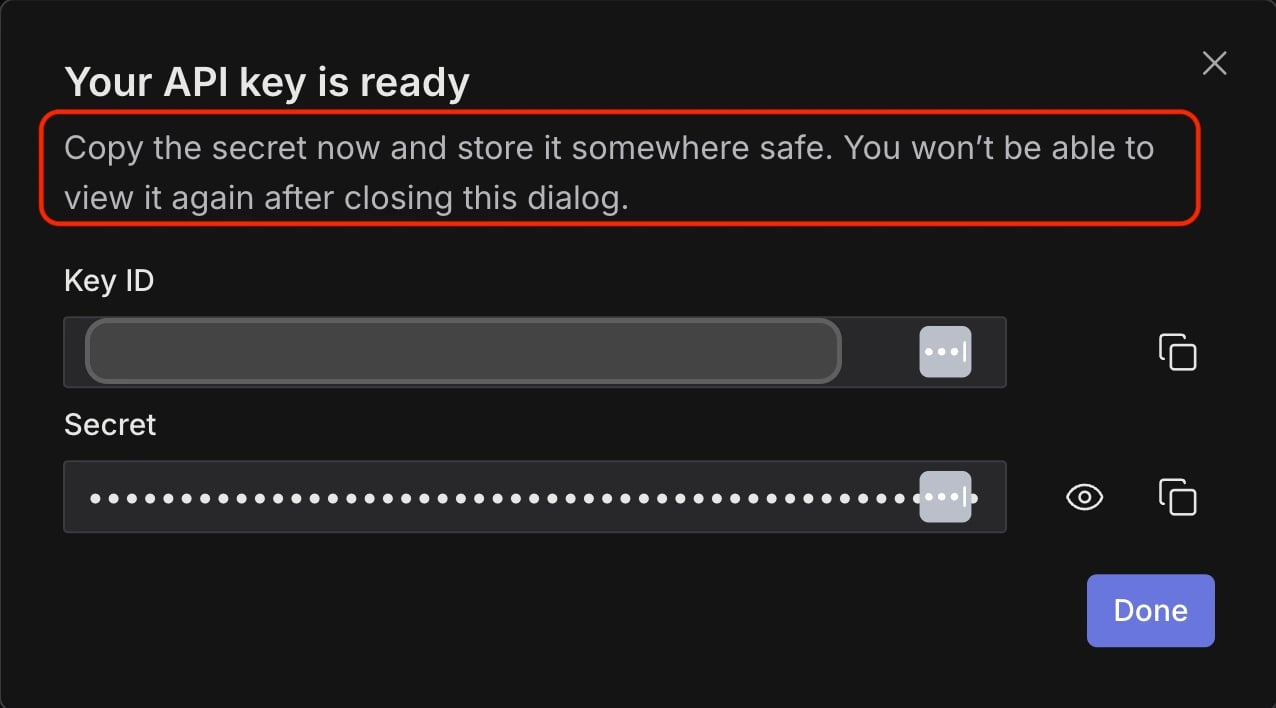
- A Your API key is ready will appear displaying the Key ID and a Secret.
- Copy these values and paste them into the Lexful security integration in MSP Process.
- Note: Copy the Secret now!
- It’s shown only once, on this page. As soon as you navigate away it can’t be retrieved again. If you lose it, you will need to generate a new key.
Step 2 — Add Lexful in MSP Process.
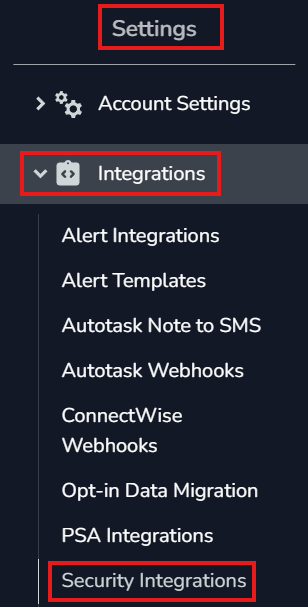
- Go to Settings → Integrations → Security Integrations and click + (Add).
- Choose Lexful.
- Enter a Name, the Account ID, the Key ID (API key), and Secret from Step 1.
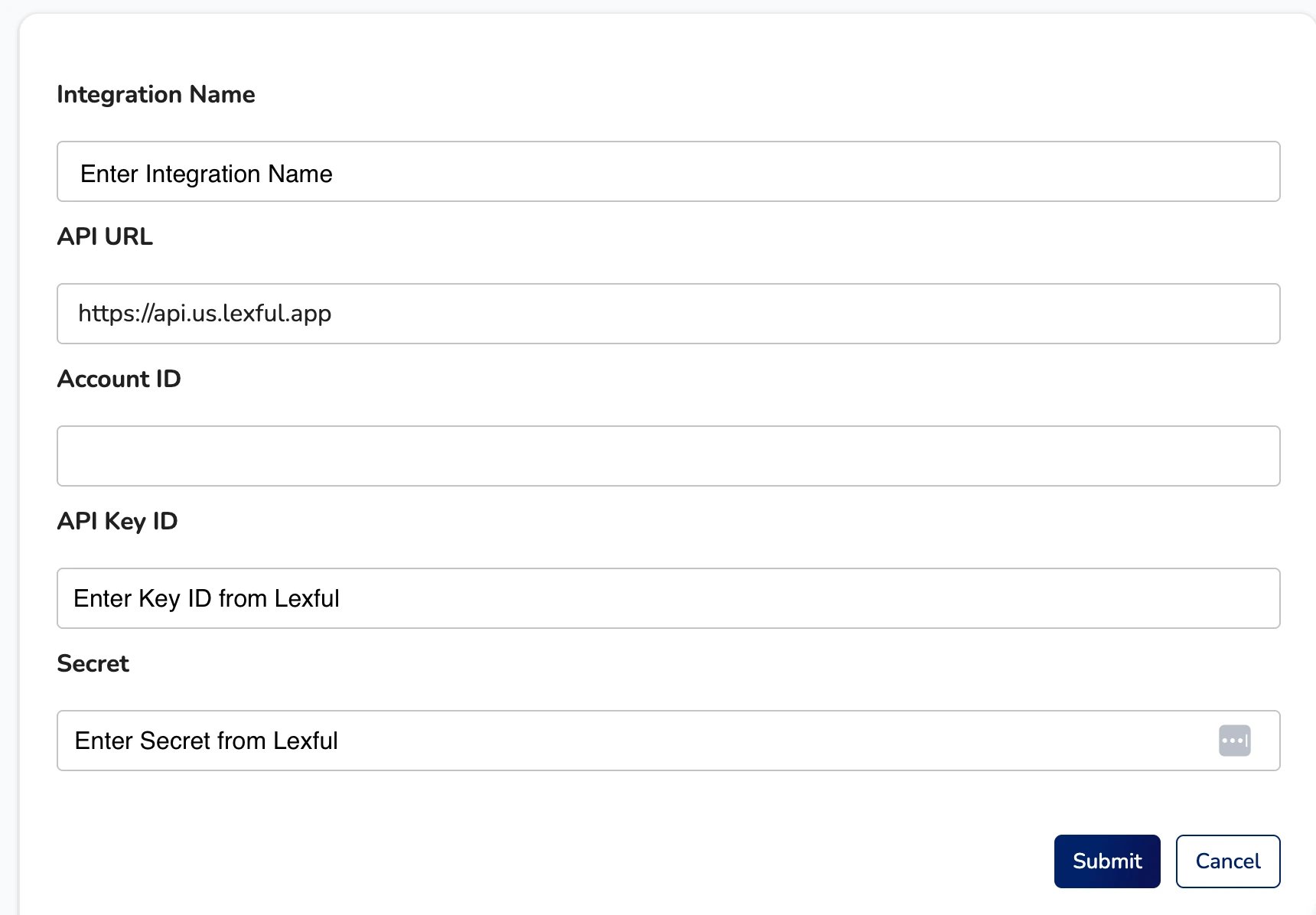
- Note: For partners in regions outside of the US, please contact Lexful Support to confirm the API URL.
- Click Submit.
Step 3 — Map your clients to Lexful organizations.
- Once connected, MSP Process pulls in your customers.
- For each customer, map the MSP Process client to its matching Lexful organization.
- This tells us where to write rotated credentials and where to look for an existing record.
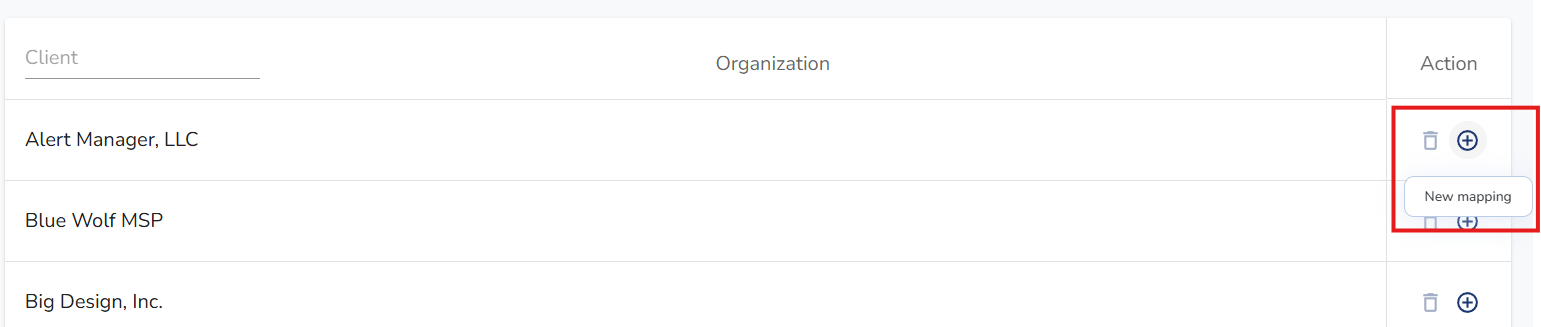
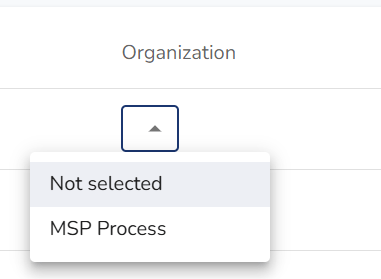
- Once you click the Plus sign in the Actions Column, a dropdown will appear under Organization.
- This is where you can select the correct company mapping
Mapping Warning
If you run into the warning that the company has been mapped, but the vault is not enabled for the client after selecting the organization, please follow the steps below to resolve.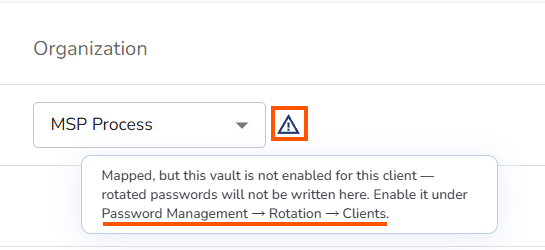
- Navigating to Identity Management → Password Management → Rotation → Clients
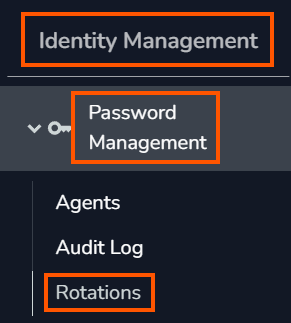
- Locate the company you need to enable the mapping for, then click the Manage Security Integration from the Actions column.

- Select the Vault you’d like to enable
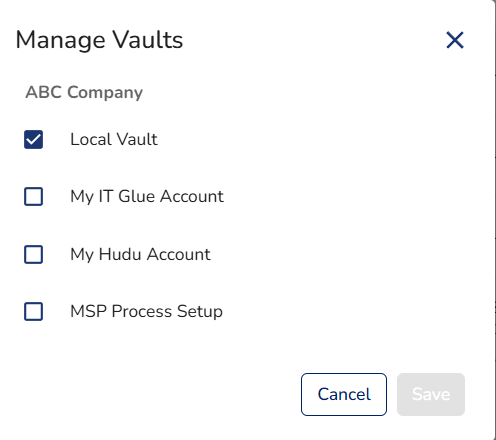
- Click Save
Add a new client to Lexful later
- First, create the client’s organization in Lexful if it doesn’t already exist. The mapping needs an organization to point to.
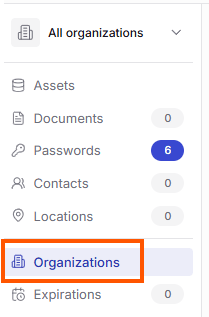
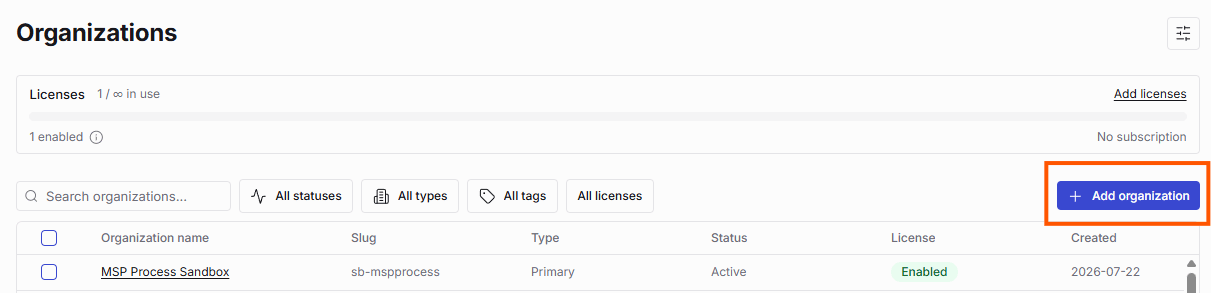
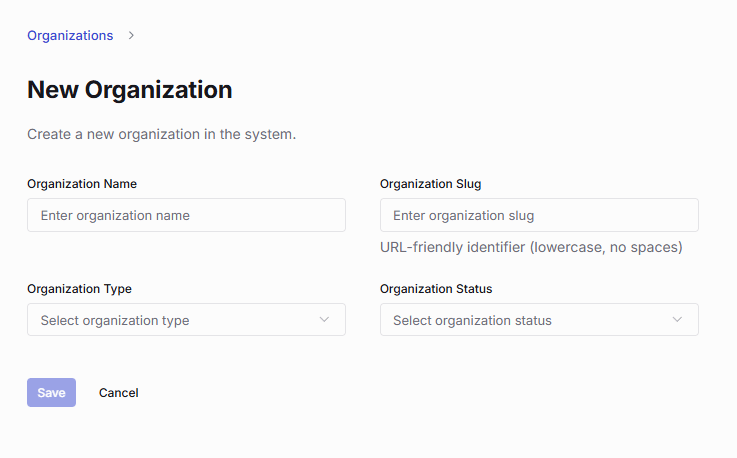
- In MSP Process, go to Settings → Integrations → Security Integrations → Lexful and map the client: match the MSP Process client to its Lexful organization.
- Select Lexful as the storage target on the rotation policy that covers them (Rotations → Policies).
- New rotations for that client then flow to Lexful automatically, no need to touch the API key or reconnect the integration.
Good to know
- The Secret appears only once. Paste it into MSP Process (Step 2) before leaving the Lexful key page.
- To replace it later, you will need to generate a new key in Lexful and update the integration.
- If you already use ITGlue or Hudu, the flow is nearly identical.
- The only real difference is where you get the API key. Everything on the MSP Process side (add integration, map clients) works the same way.
- You control storage per policy.
- For sensitive, admin-level credentials, most MSPs push to Lexful.
- For ordinary user credentials you’d rather not be responsible for storing, you can leave them out of Lexful. That choice is made on each rotation policy, not here.
Limitations
Mapping is required.
- A client with no Lexful organization mapped has nowhere for its credentials to land. You will need to map every client you intend to store in Lexful.
Nothing stores in Lexful on its own.
- Credentials only reach Lexful when a rotation policy is set to store there; connecting the integration alone doesn’t push anything.